Inspections before every departure
Checklists by vehicle and equipment type, with a mandatory photo if something fails and an alert to the right person.
Equipment, vehicles and supplies for maintenance at wind farms, power plants and industrial sites, with every inspection recorded.

Checklists by vehicle and equipment type, with a mandatory photo if something fails and an alert to the right person.
You know which tools and spare parts each vehicle carries and when anything falls below the minimum.
ITV inspection, insurance and maintenance for each vehicle on its record, with alerts before they expire.
Whoever spots a fault logs it from their phone, with a photo, and the person in charge is alerted.
At a wind farm or a remote plant, the clock-in is saved and syncs on its own once the connection returns.
Rotation-based schedules, with holidays and absences in the same place.
Vans and support vehicles with their record, their due dates and their alerts, and the status of each one before heading out to the site.
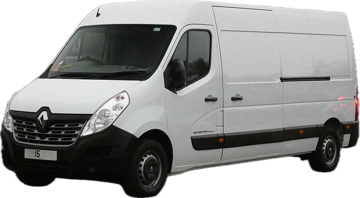
1194 PDCRenault Master · Maintenance van · North Base
3317 GSVToyota Land Cruiser · Support off-road vehicle · South BaseVehicle and supplies checklist before going to the site, with a photo if something fails and an alert to the person in charge.
You know what each vehicle carries and when something drops below the minimum, so you don't arrive at a remote site without what you need.
Whoever spots a fault records it from their phone, with a photo, and the alert reaches the person in charge without waiting for the report.
Check your shift and tasks for the day from your phone or tablet.
Complete the checklist and, if something fails, take a photo and the person in charge is alerted.
Log incidents and clock-ins even without coverage.
The manager sees what was inspected, when and by whom.
Core modules come with the platform and optional ones are switched on when you need them.
Yes. Time tracking, checklists and incidents are stored on the device and sync when the connection returns.
Yes. Supplies are organised by category and location, with minimums and expiry dates that trigger alerts.
With the optional HR module: rotation-based rosters, with holidays and absences in the same place.
Ready for what matters
We'll show you Resoluvion on your own operation: your vehicles, your checklists, your team. No commitment.